
SimCity BuildIt for PC
ELECTRONIC ARTS

- Keyboard mapping
- Multi instance
- Larger canvas
- No lag fixes



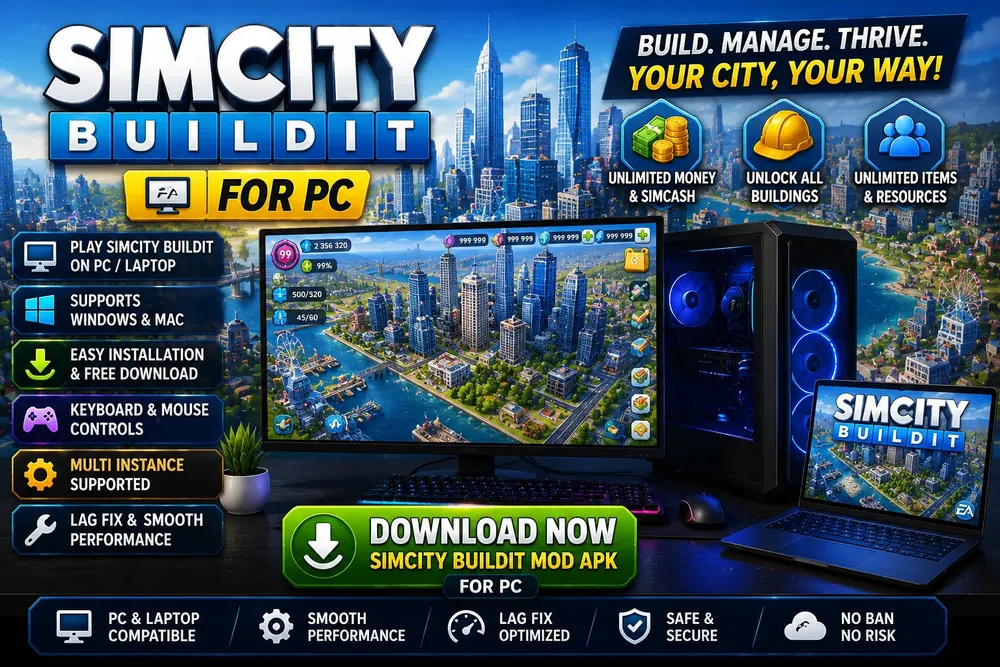
The same build, shown at the resolution a desktop monitor gives you.
Electronic Arts never shipped a desktop client for the mobile game, so playing SimCity BuildIt for PC means running the Android build inside an emulator on Windows or on a laptop. That sounds like a compromise and mostly is not, because a city builder gains more from a large monitor and a mouse than almost any other genre. This page covers which emulator to pick, the real hardware you need, keyboard mapping, and the three problems that actually bite: stutter while scrolling, pinch zoom that will not respond, and a client that hangs on the loading screen. If you want the Android side first, start with the simcity buildit mod apk guide.
Is SimCity BuildIt available for PC?
Not natively. There is no Windows executable, no Steam listing, no Epic release and no browser version. Electronic Arts publishes it as an Android and iOS title only, and the desktop SimCity games are a separate product line entirely. SimCity 4 and the 2013 SimCity are full desktop releases with different engines, different economies and no shared save data, so buying one of those will not get you the mobile city on a monitor.
What does work is an Android emulator: a virtual Android device that runs as a normal Windows program. The game cannot tell the difference in any way that matters, because it genuinely is Android underneath. Every claim you will read about a dedicated PC client, an official desktop port or a browser playable version is wrong.
Why SimCity BuildIt for PC beats the phone version
Three specific gains, none of them cosmetic.
You see more of the map. On a phone you scroll constantly and plan a district you cannot fully see. On a 1080p monitor a mid sized city fits in one view, which changes how you lay roads, because you can judge the whole grid instead of remembering it.
Mouse precision beats a fingertip for placement. Dragging a road one tile at a time is fiddly on glass and trivial with a cursor, and the same applies to positioning buildings against a coastline or a park edge.
Desktop memory removes a real failure mode. The client is memory hungry once a city grows, and phones with 2 GB of RAM close it at the loading screen. A desktop allocating 4 GB to the virtual device does not hit that wall, so large cities that were unplayable on an old handset become stable.
Best emulators for SimCity BuildIt for PC
Four emulators are worth considering for SimCity BuildIt for PC. All four are free, all four run the game, and the differences are in resource use and how much advertising they push at you.
| BlueStacks | Heaviest and most polished. Best keyboard mapping editor. Shows ads in its own launcher |
| LDPlayer | Lighter than BlueStacks, strong multi instance support, generally the best pick on modest hardware |
| MEmu | Middle ground, simple interface, good hardware passthrough |
| Nox | Light and stable, but its update cadence has been slower than the others |
If you are undecided, take LDPlayer. It uses noticeably less memory than BlueStacks for the same workload, which matters because you are about to hand 4 GB to a virtual machine. Whichever you install, download it from the developer’s own website. Emulator installers are heavily repackaged by third party download portals, and bundled adware is the usual payload.
SimCity BuildIt for PC system requirements
Requirements for SimCity BuildIt for PC are set by the emulator rather than the game, since the emulator is what your PC actually runs.
| Operating system | Windows 10 or Windows 11, 64 bit |
| Processor | Any Intel or AMD chip with virtualisation support, which is essentially all of them since 2015 |
| Virtualisation | VT-x or AMD-V enabled in the BIOS. This is the single most important setting |
| Memory | 8 GB total, of which 4 GB goes to the emulator. 16 GB if you want a browser open too |
| Graphics | Any GPU with current drivers. A dedicated card helps but is not required |
| Storage | 10 GB free. The emulator, the virtual disk and a 269 MB installer all need room |
Virtualisation deserves emphasis. With VT-x or AMD-V disabled the emulator falls back to software rendering, and the result is a slideshow that people almost always misdiagnose as a weak graphics card. It is off by default on a surprising number of prebuilt machines. Check your BIOS before you conclude your hardware is too old.
How to install SimCity BuildIt mod apk on PC
- Enable virtualisation in the BIOS if you have not already. Reboot, enter setup, and look for VT-x, Intel Virtualization Technology, or SVM Mode on AMD boards.
- Install your chosen emulator from the developer’s own site and let it complete its first run setup.
- Open the emulator settings and allocate 4 GB of memory and at least 2 CPU cores. The defaults are usually too conservative for this game.
- Set the display resolution to 1600 by 900 or 1920 by 1080 rather than a phone aspect ratio. This is what buys you the wider view of the map.
- Download the file to Windows in your normal browser.
- Drag the downloaded file onto the emulator window. Every emulator here accepts a drag and drop install, and it is more reliable than browsing the virtual file system.
- Wait for the installer to finish. It unpacks the game inside the virtual device, which takes longer than a normal app and looks like it has stalled part way. Leave it alone.
- Launch the game from the emulator’s home screen, not the installer entry.
The file downloads to Windows first, then you drag it into the emulator window.
SimCity BuildIt PC controls and keyboard mapping
SimCity BuildIt has no native keyboard support on any platform, so every emulator supplies its own mapping layer that converts key presses into screen taps at fixed coordinates. That works well for navigation and badly for anything context sensitive.
What is worth mapping:
- Arrow keys or WASD for panning the camera, which is the single biggest quality of life gain
- Mouse scroll wheel to zoom, which most emulators bind automatically
- A key for the build menu and another for the storage panel, since you open both constantly
- Escape to back out of a dialogue
What is not worth mapping: anything that depends on where a button sits after the interface scrolls. Mapped taps fire at fixed screen positions, so a key bound to the third item in a list hits whatever has moved into that slot. Keep those interactions on the mouse.
Fixing SimCity BuildIt lag on PC
Poor performance here almost always traces to one of five causes, in rough order of how often they turn out to be the culprit.
Virtualisation is switched off
Covered above and worth repeating, because it produces by far the worst symptoms and is the easiest thing to fix. Most emulators show a warning on their settings screen when it is disabled, though it is easy to miss.
The graphics renderer is set wrong
Emulators offer DirectX and OpenGL, and this game clearly prefers one over the other depending on your GPU vendor. Switch renderer, restart the emulator fully, and compare. It costs two minutes and frequently doubles the frame rate.
Too little memory allocated
The default is often 2 GB, which is enough to start a city and not enough to run a large one. Raise it to 4 GB. Going beyond that helps very little and starves Windows.
The frame limit is uncapped
Some emulators default to unlimited frames, which pushes the GPU hard for no visible gain and causes thermal throttling on laptops that then presents as intermittent stutter. Cap it at 60.
Graphics drivers are stale
Emulators lean on the driver more than typical software. A driver two years old is a genuine cause of stutter rather than a support script deflection.
The pinch zoom problem
This one deserves its own section because it looks like the game is broken and is not.
Pinch to zoom is a two finger gesture. A mouse has one cursor, so there is nothing for the emulator to translate it into by default, and the map simply refuses to zoom no matter what you drag. People conclude the build is faulty and reinstall it, which changes nothing.
If the scroll wheel already zooms for you, use that instead and ignore the gesture entirely. The wheel binding is more precise anyway, and the multitouch key mainly matters for rotating the camera.
Running more than one city
Multi instance is where SimCity BuildIt for PC pulls clearly ahead. It opens several virtual devices at once, each with its own independent game install and its own city. It is the one genuine capability a desktop has that a phone does not, and it is why players who run several cities end up on PC.
Two honest caveats. Each instance wants its own memory allocation, so three instances at 4 GB each needs 16 GB of system RAM before Windows gets anything. And running several modified clients raises your exposure if any of them touches the network, because it multiplies the number of sessions that could be flagged rather than spreading the risk.
Stuck on the loading screen
A client that opens to the loading screen and stays there is usually one of three things.
- Memory starvation. The loading screen is where the client allocates most heavily, so it is the first place an under provisioned instance fails. Raise the allocation and retry.
- A partial install. The unpack stage was interrupted, often by the emulator being minimised or the host sleeping. Uninstall from inside the emulator and drag the file in again.
- The client is waiting on a network call. A modified client that reaches Electronic Arts’ servers can sit waiting for a response that never resolves. Turn off the emulator’s network adapter and launch again.
If none of the three clears it, delete the emulator instance rather than the game and build a fresh one. Instance level corruption is more common than it should be and is not worth debugging.
Syncing a SimCity BuildIt account from PC to mobile
The only supported transfer route is a cloud save through a Facebook, Google or Electronic Arts account, and that route is closed to you here in practice.
A modified client is frequently rejected when it reaches the servers, so the sync it depends on does not complete reliably. Worse, connecting an account is exactly what exposes it to suspension. The result is that a city built in an emulator stays in that emulator, and a city built on your phone stays there.
Plan around it rather than fighting it. Decide which device a given city lives on before you start building. If you want a genuine synced city across devices, keep the unmodified Play Store version for that and use it with an account you are happy to link.
SimCity BuildIt for Mac and laptops
Harder than Windows, and the answer depends on your hardware. On Apple Silicon, the mainstream Android emulators either do not support macOS or run poorly under translation, so the practical route is different: many iPad and iPhone apps run natively on Apple Silicon Macs, and the App Store version of the game is a far better experience than any emulator when it is available to you. On older Intel Macs, BlueStacks published a macOS build, though support has been inconsistent and performance trails the Windows version noticeably.
If you specifically want the modified Android build on a Mac, expect to spend real time on it. The straightforward path is a Windows machine.
Frequently asked questions
Is SimCity BuildIt available for PC?
Not as a native program. SimCity BuildIt for PC exists only through emulation. Electronic Arts publishes it for Android and iOS only, and there is no Windows executable, no Steam or Epic listing and no browser version. Any site offering a direct PC download is either giving you an emulator under a different name or something you should not run. The working method is an Android emulator such as LDPlayer, BlueStacks, MEmu or Nox, which runs a virtual Android device as an ordinary Windows program. Note that the desktop SimCity titles, including SimCity 4 and the 2013 release, are a completely separate product line with different engines and no shared save data, so they will not give you the mobile city on a monitor.
Can you play SimCity BuildIt on PC without an emulator?
Not in any reliable way. Windows Subsystem for Android was Microsoft’s official route for running Android apps on Windows 11, but Microsoft has wound it down, so it is not a route to build on. Cloud phone services stream an Android device from a datacentre and technically work, though they add input latency and usually a subscription, and running a modified client on someone else’s hardware carries its own terms of service problems. Chromebooks run Android apps natively, which is a genuine exception if you happen to own one. For a standard Windows PC, an emulator is the practical answer and the one every guide ends up recommending.
What are the PC system requirements?
The requirements for SimCity BuildIt for PC come from the emulator rather than the game. You need 64 bit Windows 10 or 11, a processor with virtualisation support, which covers essentially everything since 2015, and hardware virtualisation actually enabled in the BIOS as VT-x or AMD-V. Allow 8 GB of system memory with 4 GB allocated to the emulator, or 16 GB if you want other applications open alongside it. Any GPU with current drivers is fine, and a dedicated card helps without being necessary. Keep 10 GB of storage free for the emulator, its virtual disk and the 269 MB installer. The virtualisation setting matters far more than raw specifications.
How do I install the mod apk on PC?
Enable virtualisation in your BIOS first, then install an emulator from the developer’s own website rather than a download portal, since repackaged emulator installers commonly carry adware. In the emulator settings, allocate 4 GB of memory, at least 2 CPU cores, and a desktop resolution such as 1600 by 900 instead of a phone aspect ratio. Download the file in your normal Windows browser, then drag it from your desktop straight onto the emulator window, which is more dependable than navigating the virtual file system. Let the installer finish unpacking without minimising the window, then launch the game from the emulator home screen rather than the installer entry.
How do I fix lag on PC?
Work through five causes in order, since SimCity BuildIt for PC performance almost always traces to configuration rather than hardware. First confirm virtualisation is enabled in the BIOS, because with VT-x or AMD-V off the emulator falls back to software rendering and performance collapses in a way people usually blame on their graphics card. Second, switch the graphics renderer between DirectX and OpenGL and restart the emulator fully, as this often doubles the frame rate depending on your GPU vendor. Third, raise the memory allocation to 4 GB if it is still on a 2 GB default. Fourth, cap the frame rate at 60 instead of unlimited, which prevents laptop thermal throttling. Fifth, update your graphics drivers, since emulators depend on them more than most software.
Why will pinch zoom not work with a mouse?
Because pinch to zoom needs two touch points and a mouse only provides one, so there is nothing for the emulator to translate the gesture into by default. The map then refuses to zoom regardless of how you drag, which reads convincingly as a broken game and leads people to reinstall it pointlessly. Every emulator covered here ships a multitouch modifier key, normally Ctrl or Alt. Hold it and two cursor markers appear on screen, then move the mouse to spread or pinch them. The exact binding differs, so check the keymap editor. If your scroll wheel already zooms, use that instead, since it is more precise and the modifier mainly matters for camera rotation.
Can I run more than one city at a time?
Yes, through your emulator’s multi instance manager, which opens several independent virtual devices each with its own game installation and its own city. This is the clearest advantage a desktop holds over a phone and the main reason multi city players move to PC. Budget the memory honestly, because each instance wants its own allocation, so three instances at 4 GB each requires 16 GB of system RAM before Windows takes its share. Be aware too that running several modified clients increases exposure if any of them reaches the network, since it multiplies the number of sessions that could be flagged rather than dividing the risk between them.
How do I sync my city between PC and mobile?
Realistically you cannot with a modified client. The only supported transfer route is a cloud save through a Facebook, Google or Electronic Arts account, and a modified client is frequently rejected when it reaches those servers, so the sync does not complete dependably. Connecting an account is also the specific action that exposes it to suspension, which makes the attempt costly as well as unreliable. Treat each installation as self contained and decide before you start building which device a city will live on. If a genuinely synced city across devices matters to you, keep the unmodified Play Store version for that purpose with an account you are comfortable linking.
Is SimCity BuildIt available on Mac?
SimCity BuildIt for Mac works only awkwardly, and the answer depends on your hardware. On Apple Silicon Macs the mainstream Android emulators either lack macOS support or run poorly under translation, so the better route is the App Store version, since many iPhone and iPad apps run natively on those machines. On older Intel Macs, BlueStacks shipped a macOS build, though its support has been inconsistent and it performs noticeably worse than the Windows equivalent. If you specifically want the modified Android build running on macOS, expect to spend real time on setup for a result that still trails Windows. A Windows machine is the straightforward path.
How do I reset my city and start again?
Inside the game there is no clean reset button that works the way people expect, because progress is tied to the save rather than to a menu option. On an emulator the reliable method is to clear the app’s storage from the virtual device’s Android settings, which drops the local save and returns you to a fresh plot at the next launch. If that leaves anything behind, uninstall the game from inside the emulator and drag the installer in again. The strongest option, and the one worth using if the instance has been misbehaving generally, is to delete the whole emulator instance in the multi instance manager and create a new one.
Conclusion
Running SimCity BuildIt for PC is a straightforward win once the setup is out of the way. You get a wider view of the map, precise placement with a mouse, memory headroom that removes the loading screen failures old phones suffer, and multi instance if you want to run several cities at once.
Almost every problem people hit comes down to three settings: virtualisation enabled in the BIOS, 4 GB allocated to the emulator, and the right graphics renderer selected. Get those three correct before you start troubleshooting anything else, and hold the multitouch key when the map will not zoom.
SimCity and SimCity BuildIt are trademarks of Electronic Arts Inc. Simcityapk.com is not affiliated with, endorsed by, or sponsored by Electronic Arts Inc. or Google LLC. All app names, logos and trademarks are the property of their respective owners. This site publishes information for educational purposes only. Modified applications are not supported by their original developers, so use them at your own risk. If you are a copyright holder and believe content here infringes your rights, please see our DMCA page.
PC Requirements
| Method | Android emulator |
| OS | Windows 10 or 11, 64 bit |
| Memory | 8 GB, 4 GB allocated |
| Virtualisation | VT-x or AMD-V required |
| Storage | 10 GB free |
| Best emulator | LDPlayer |
| File size | 269 MB |
| Version | 1.81.1.14873346 |
| Native PC build | None exists |